Recurio — On time, every time
A home maintenance management app. Auto-reminds when tasks are due, logs history per device.
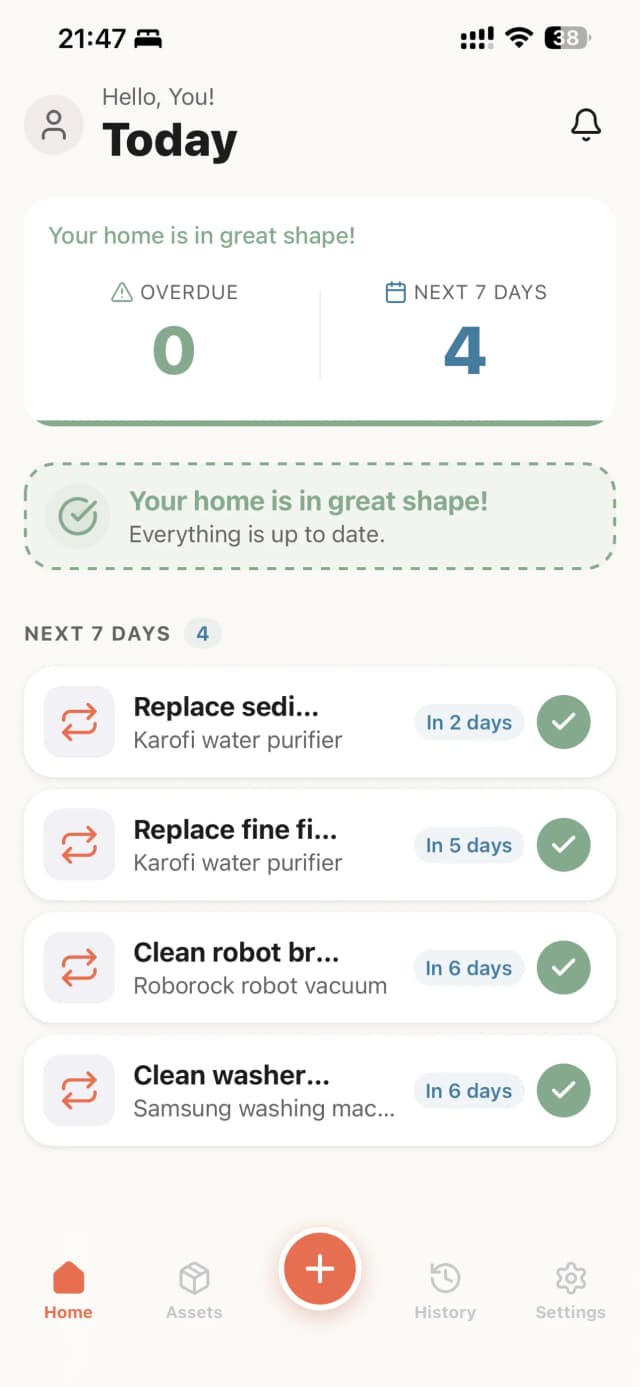
Home screen — all tasks completed
Challenge
Do you remember the last time you replaced your water filter? Or when the AC was last cleaned — who did it, how much did it cost?
Most households share the same problem: home devices need regular maintenance, but nobody keeps track. Air conditioners, water filters, robot vacuums, water heaters — each with a different cycle. When you forget, devices break down and repair costs multiply.
Existing reminder apps are too generic — designed for daily to-do lists, not for maintenance tasks with long cycles (2 months, 6 months, even 2 years). And more importantly: there's nowhere to log the history — who did it, what notes, how much it cost, any photos.
Solution
Recurio is purpose-built for home device maintenance, with 3 principles:
- Remind on time — Auto-reminds when due, repeats daily if overdue. Nothing gets missed.
- Log fast, capture enough — Tap "Done" in 1 tap. Want to add who did it, cost, photos — up to you, nothing is required.
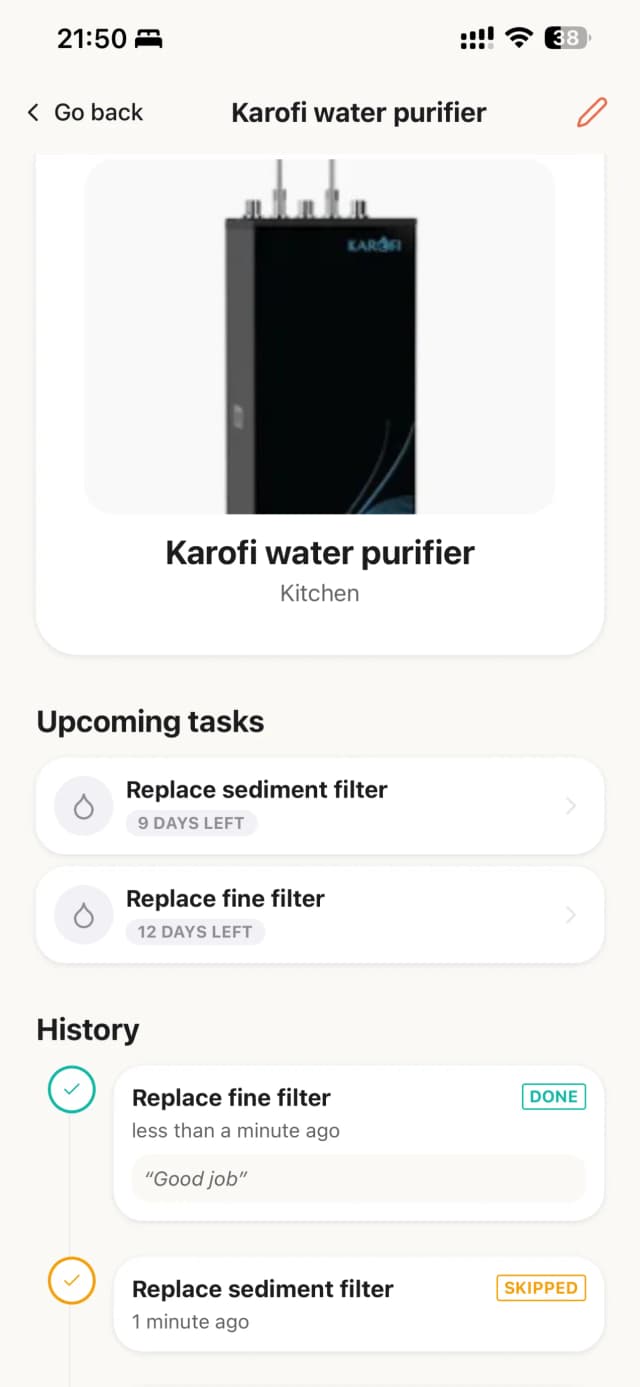
- History per device — Each device has its own timeline. Look up past maintenance anytime.
Key Features
Quick setup from built-in templates
Recurio comes with 20 common maintenance templates for Vietnamese households: AC filter cleaning (2 months), water filter replacement (3–6 months), washing machine drum cleaning (1 month), fire extinguisher inspection (6 months)... Pick a template, adjust the cycle if needed, tap create — done in under 30 seconds. No matching template? Create a custom task with your own cycle.
Smart notifications that never miss
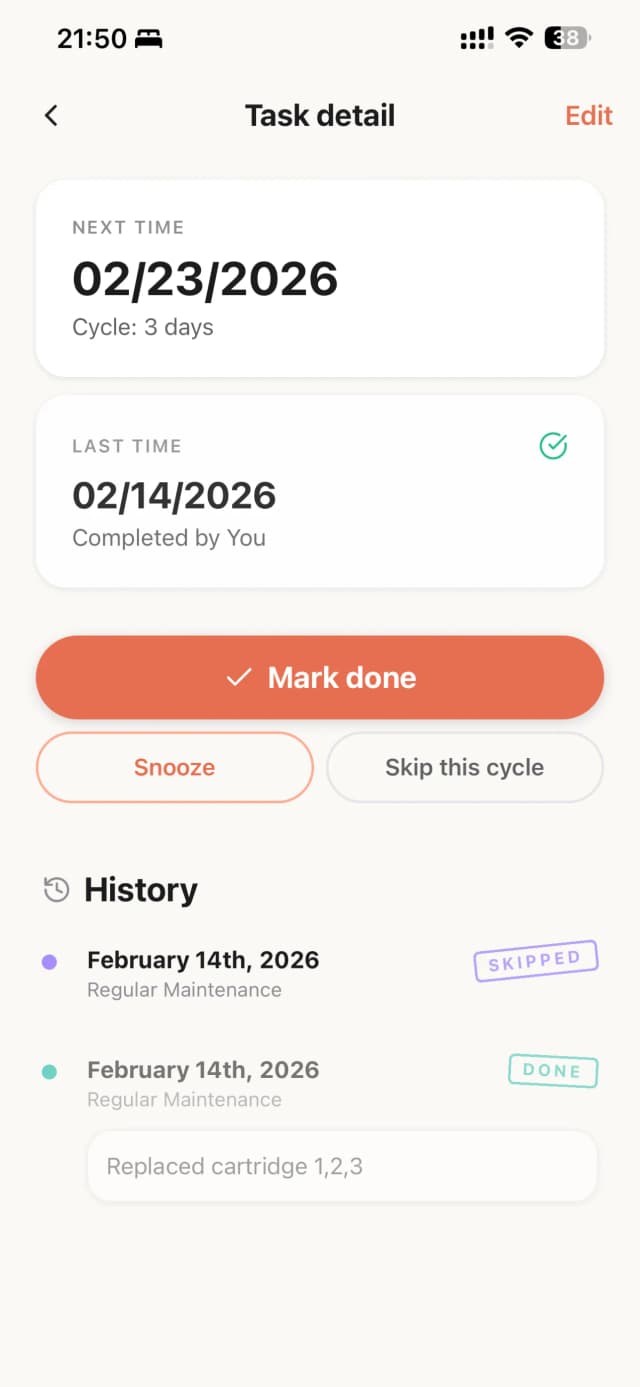
Each task has its own reminder time. When due, you get a notification on your phone. If not done, Recurio reminds you daily until you act — mark complete, skip, or snooze. Supports snooze for 1 day, 3 days, 7 days, or pick a specific date.
Completion logging — a digital maintenance book
When done, tap "Done" to create a log entry. You can add:
- Who did it — yourself or a technician
- Notes — details, replacement part models
- Cost — how much this time
- Photos — snap the result or receipt
Everything is optional. Tap "Done" right away if you want — 1 tap is enough.
Organize by device
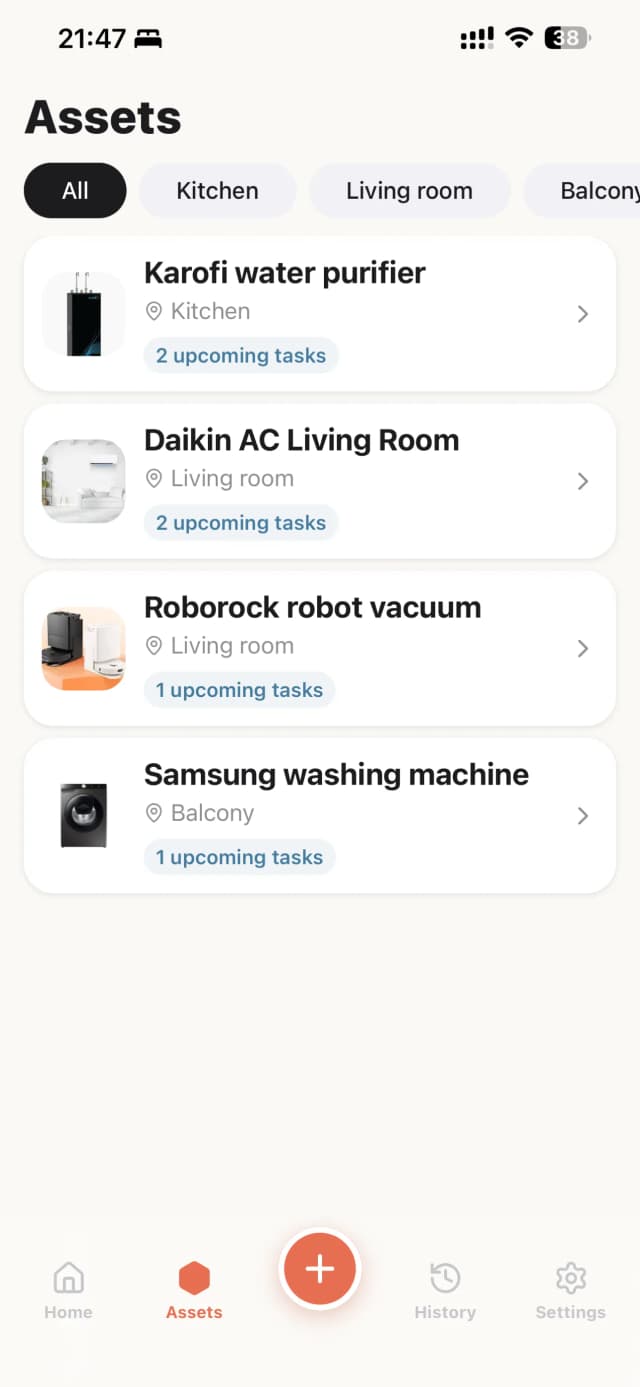
Create a list of home devices: living room AC, kitchen water filter, robot vacuum... Each device has a location, photo, and its own maintenance history. Assign tasks to devices to track: "How many times has the living room AC been cleaned? Who did it last, how much?"
Timeline history
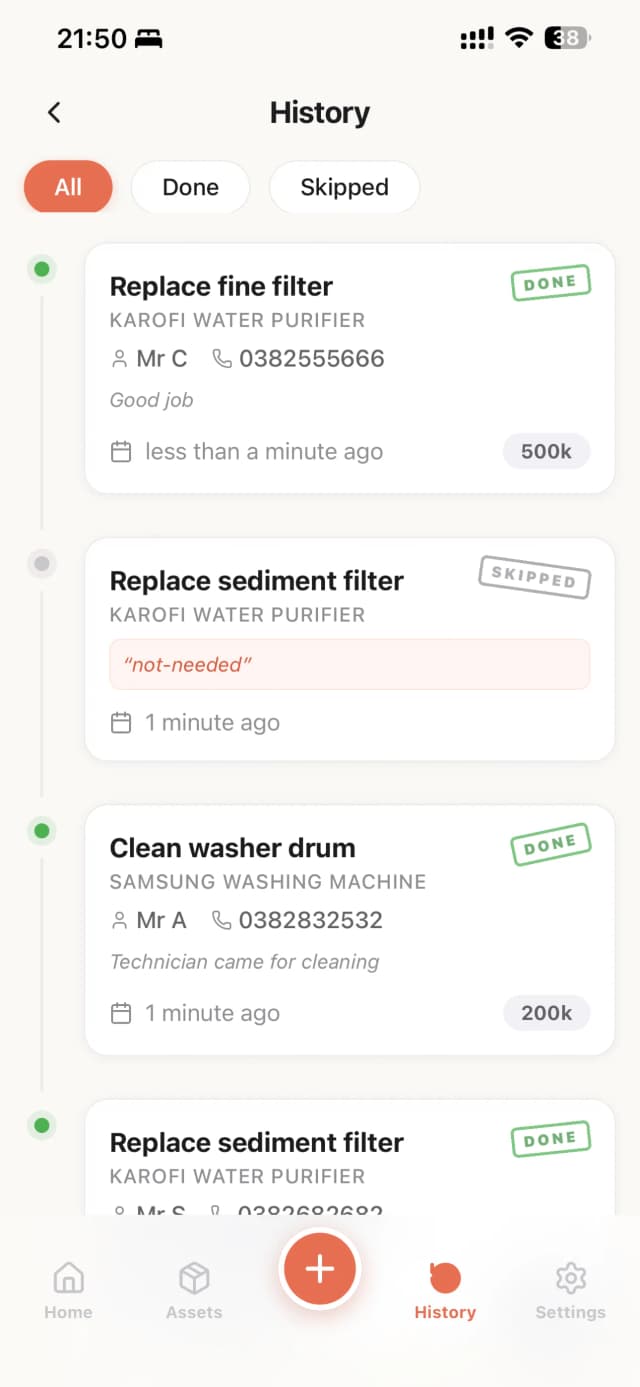
The History tab shows all log entries chronologically, filterable by "Completed" or "Skipped". Each entry clearly shows: which task, which device, who did it, cost, notes. This is your digital maintenance book — useful when handing over a home, calling a technician, or simply looking back.
Google Drive sync
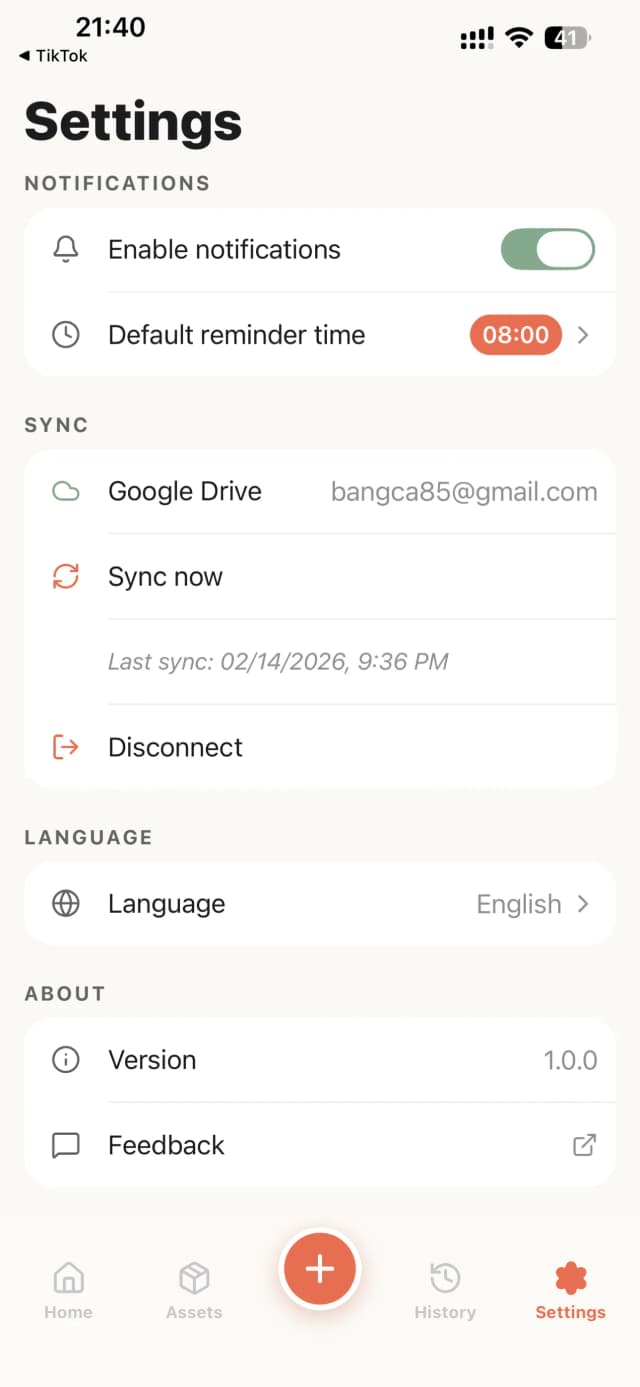
Connect Google to back up data to your Drive. No private server — data lives on your Drive, you own it completely. Switching phones? Sign in and all data is there. Don't want to sync? The app works fully offline.
Bilingual Vietnamese–English
The interface supports Vietnamese and English, auto-detected from device language. Can be switched manually in Settings.
What Makes It Different
| Typical reminder apps | Recurio | |
|---|---|---|
| Focus | Daily to-do lists | Device maintenance, long cycles |
| Data model | Task-centric | Device-centric — history tied to each device |
| Logging | Tick done | Who, notes, cost, photos |
| Privacy | Their cloud | Your Google Drive |
| Localization | English-only | Vietnamese templates, bilingual UI |
Tech Stack
- Mobile: React Native · Expo · TypeScript · NativeWind
- Database: SQLite (local-first)
- Sync: Google Drive API
- Design: Home Atlas — warm, friendly
- Languages: Vietnamese, English
Get the App
Experience native performance.