Cubewit — Learn Cube Solving: 3×3 Puzzles, Hints & Tutorials
A 3×3 cube learning and solving app for iOS & Android — practice through short puzzle-style exercises on an interactive 3D cube, scan your real cube on-device, and learn with age-adaptive interfaces.
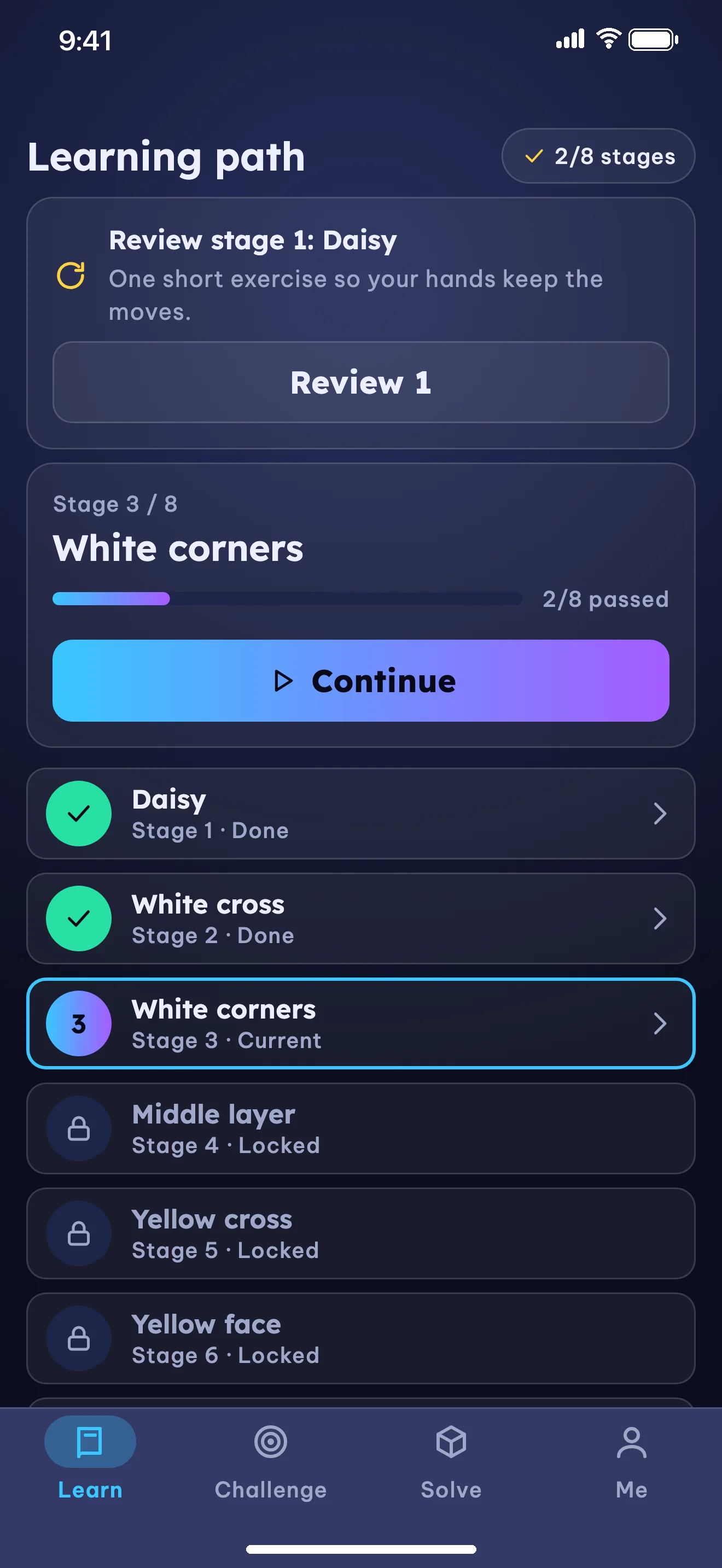
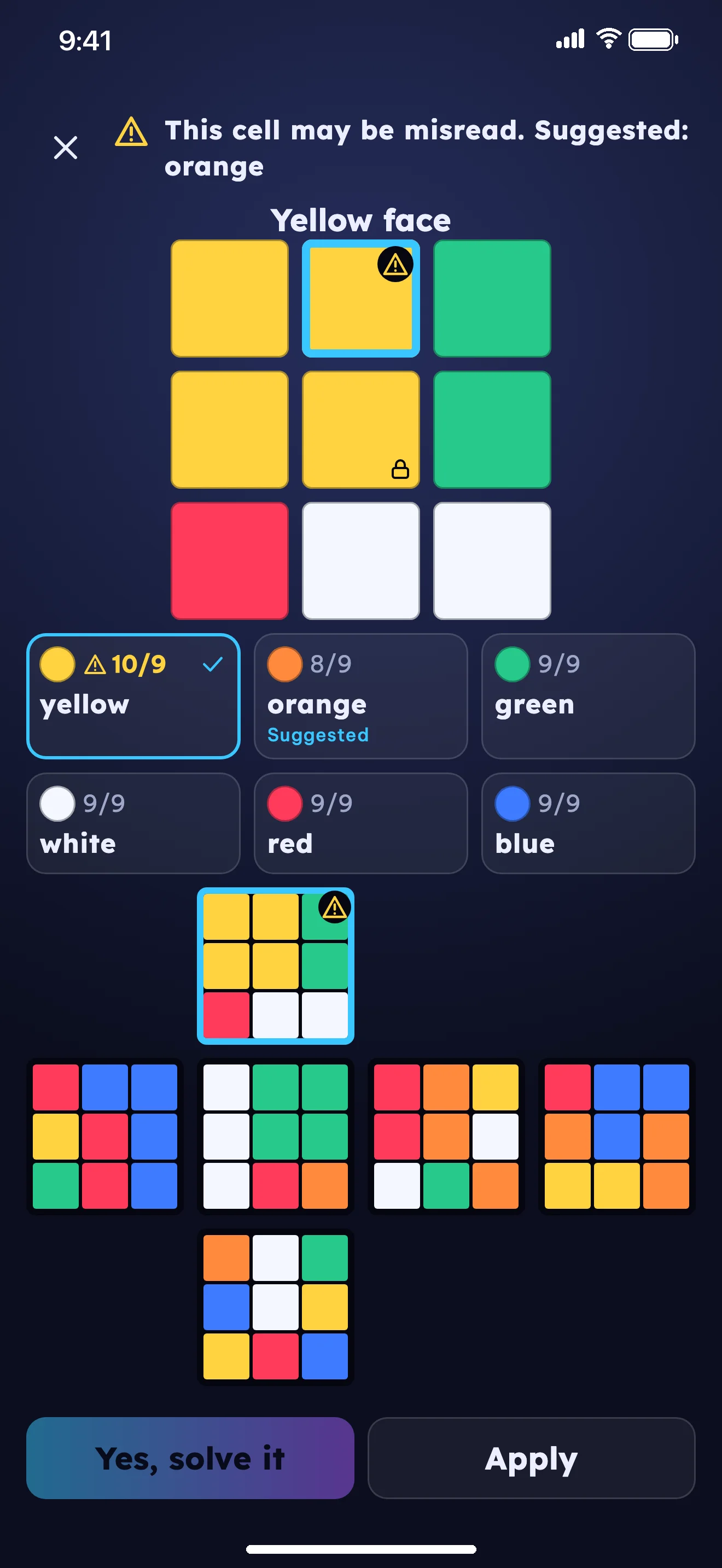
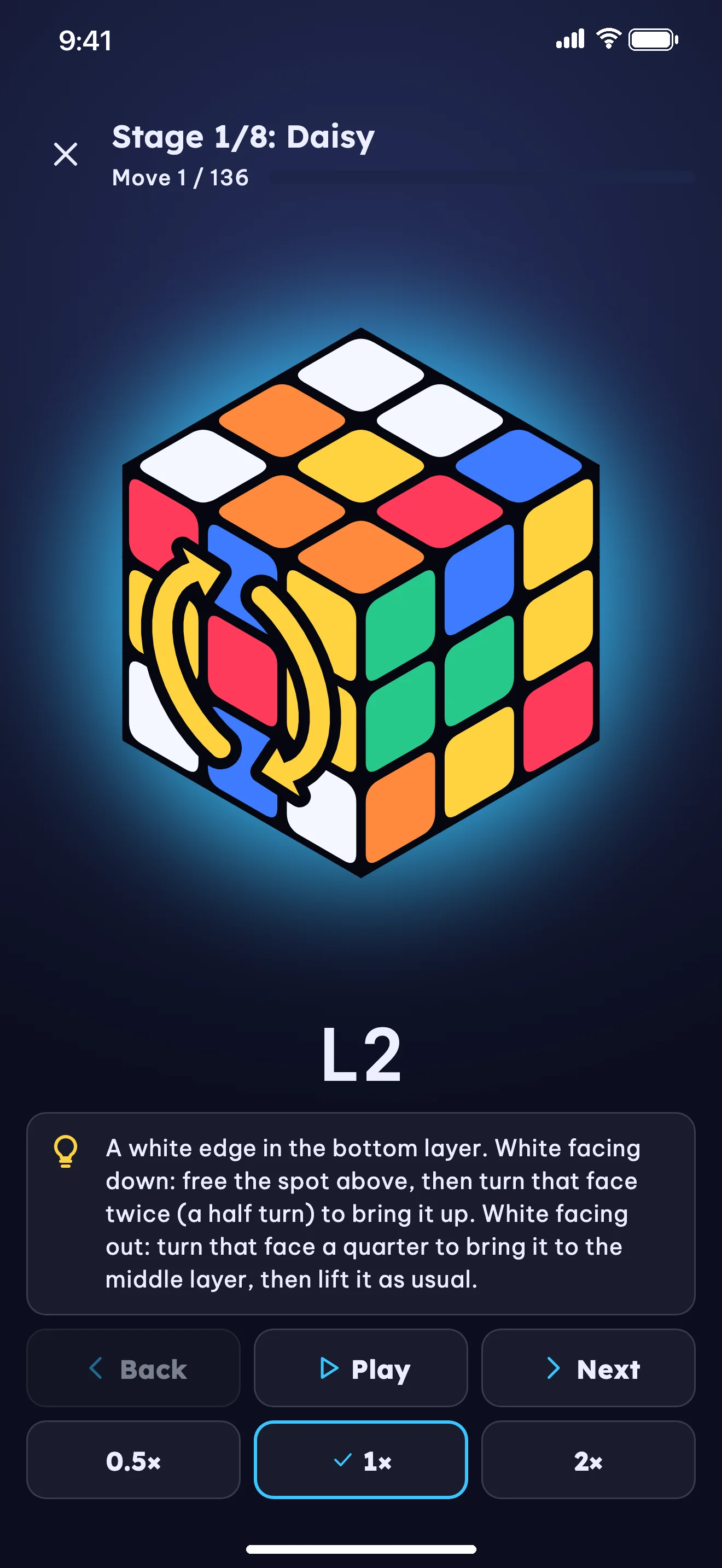
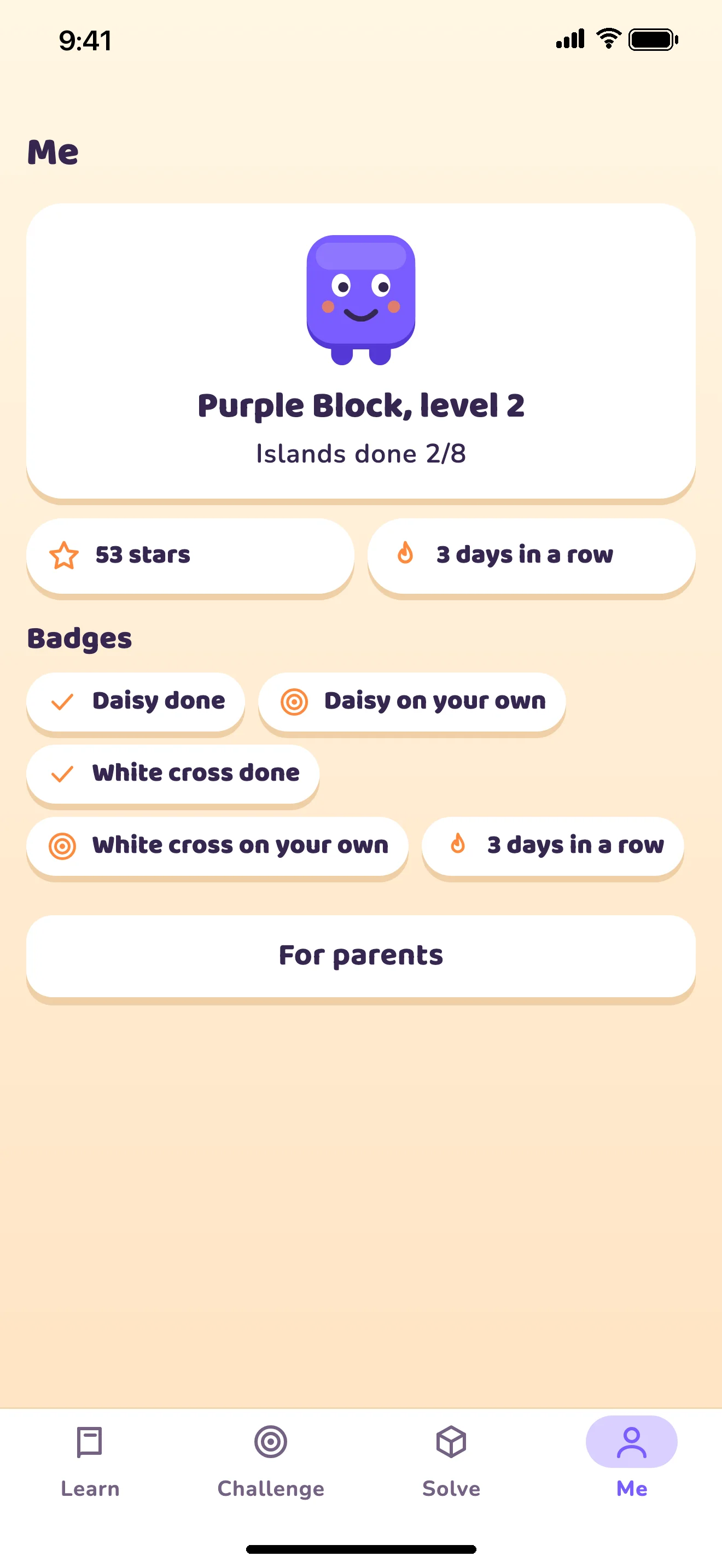
Cubewit 8-stage learning path for the 3×3 cube (clear 8 exercises per stage)
The Design Problem
Learning to solve the 3×3 cube is a goal shared by kids and adults alike, yet beginners frequently get stuck because of three common hurdles:
- Formula Overload & Long Videos: Following 30–45 minute tutorial videos or memorizing raw notation sheets (
R U R' U' F' U' F) makes it easy to lose track — a single wrong turn scrambles the cube and resets progress. - Indoor Camera Scanning Errors: Under warm indoor lighting, camera scanners often confuse orange with red or white with yellow. When an app only shows a generic error without suggesting which sticker to check, learners hit a dead end.
- Different Needs Across Age Groups: Children aged 6–9 can feel overwhelmed by algebraic notation, while adult beginners want a clean, logical interface that doesn't look like a toddler toy.
Design Approach
Cubewit is built around four core principles:
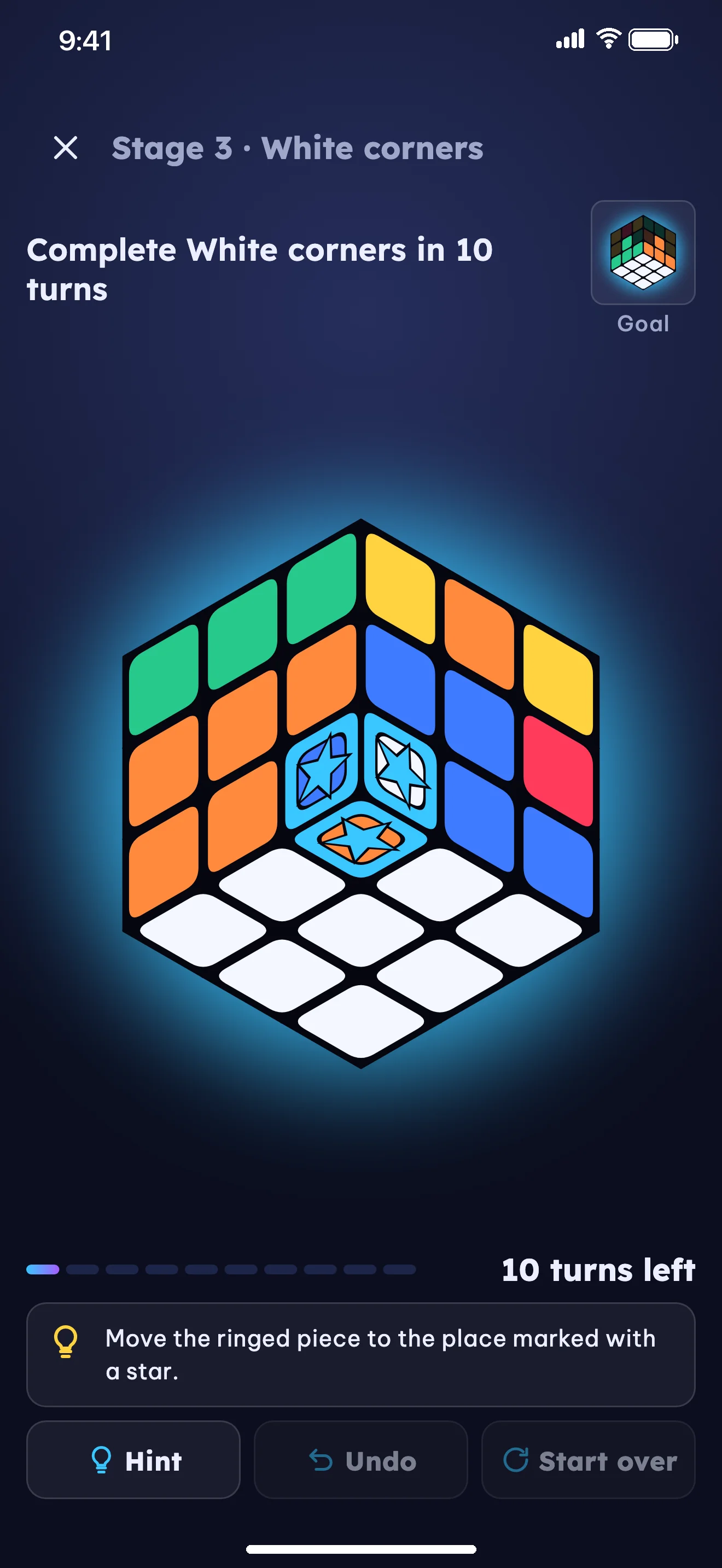
- Short Puzzle-Style Exercises (20–60s) — Instead of starting with a fully scrambled cube, each exercise begins mid-solve with a focused goal: "Bring this piece home within the turn limit". Clearing 8 distinct exercises completes the stage and unlocks the next one.
- One Layout, Two Age-Adaptive Interfaces — The same learning curriculum adapts across two visual themes and three age tones (6–9, 10–14, 15+):
- Style A (Ages 6–9): Warm cream gradient (
#FFF6E3 → #FFE4C4), rounded Baloo 2 & Nunito typography, tactile hard shadows, story-driven prompts from the Purple Cube mascot, and no move notation symbols. - Style B (Ages 10–14 & 15+): Dark space gradient (
#262E5C → #0B0E1F), glowing 3D cube, cyan-to-violet primary actions (#39C6FF → #A45CFF), Lexend, Be Vietnam Pro, and JetBrains Mono move notation.
- Style A (Ages 6–9): Warm cream gradient (
- On-Device Camera Scan & Suggested Color Fixes — Uses the 6 center stickers of each scan as color anchors to handle indoor lighting. State validation detects impossible cube configurations (wrong color counts, flipped edges, twisted corners, parity errors) and suggests suspect stickers for quick tap-to-fix or manual entry.
- Offline Core & AI Only for Written Tips — The 3D cube, 8-stage path, daily challenges, and both solvers run offline on the device. Moves and solutions are always computed and checked by the app's algorithms; optional online AI tips (strictly opt-in for the 15+ group) only write explanations.
Core Experiences
8-Stage Layer-by-Layer Path & Real-Cube Checkpoints
After a hands-on introduction to centers, edges, and corners, the layer-by-layer solution is split into 8 stages (clearing 8 exercises per stage from a pool of 11–15 exercises):
- The Daisy (white edges around the yellow center)
- White Cross
- White Corners (completing the first layer)
- Middle Layer
- Yellow Cross
- Yellow Face (orienting yellow corners)
- Position Yellow Corners
- Position Yellow Edges
Exercise selection adapts to performance: consecutive hint-free solves jump to harder exercises, while running out of turns or using a Level 3 hint inserts an easier exercise from the same stage for reinforcement. At the end of each stage, learners can practice on a real physical cube and scan it with the camera to verify.
3-Level Progressive Hints
When a learner needs help during an exercise, Cubewit provides three graduated hint levels:
- Level 1 (Gentle Nudge): A conceptual reminder of what to look for so the learner can reason through the move.
- Level 2 (Piece Highlight): The 3D cube rotates to show and highlight the exact piece that needs attention.
- Level 3 (Next-Turn Arrow): A 3D directional arrow overlays the cube face showing the exact next turn.
6-Face Camera Scan & Dual Solve Modes
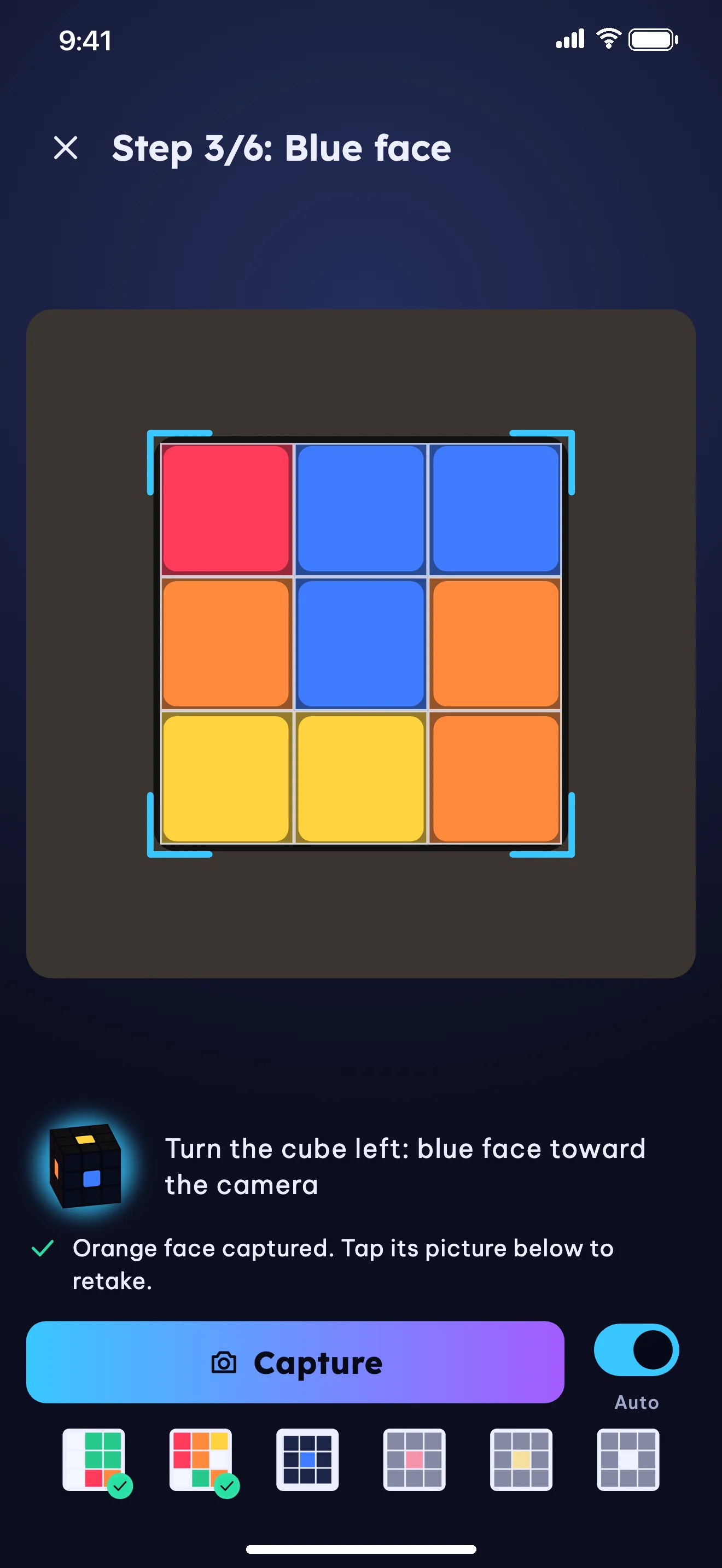
Users can scan all 6 faces with guided turn prompts or enter colors by hand on a flat 6-face grid. Once validated, Cubewit offers two guided solve modes:
- Quick Solve: Computes a compact solution to restore the cube quickly.
- Learn by Stage: Walks through the solve across the 8 learning stages, noting any stages already completed on the cube and showing contextual tips.
Daily Challenges & Parent Area
- Daily Challenges: Offline daily puzzles matched to the learner's current progress, paired with targeted practice for their weakest stage.
- Parent Area: Protected behind an adult multiplication question (such as
16 × 7), allowing parents to view progress and set a daily time limit (10–60 minutes) for the 6–9 age group.
Cubewit Design Principles Matrix
| Dimension | Design Approach in Cubewit |
|---|---|
| Learning Method | Split into 8 stages; each exercise is a 20–60s mid-solve puzzle with a clear objective |
| Age Adaptation | Two visual styles A (6–9) & B (10+) and three tones from story-based words to concise logic |
| Camera Scanning | Center-sticker color anchoring, mathematical state validation, and suggested sticker fixes |
| Solution Engine | Dual on-device solvers (Quick Solve & Learn by Stage) verified against the starting cube state |
| Privacy & Child Safety | No accounts, no ads; zero server calls for under-15 groups; adult gate for parent settings and external links |
Architecture Overview
- Flutter (iOS, iPadOS & Android) — Powers the dual-theme UI system and interactive 3D cube with swipe layer turns, camera orbit drag, and 3D directional arrow overlays.
- Dual On-Device Solvers (
cube_core) — Combines a two-phase solver for Quick Solve and an 8-stage solver that labels each step with its stage and case for Learn by Stage. - On-Device Color Vision (
cube_vision) — Reads the 9 sticker colors per face in device memory, calibrates against the 6 center tiles, and validates 3×3 cube invariants. - Bundled Exercises & Bilingual Copy (
cube_exercises&cube_content) — Pre-packaged exercise pools and bilingual (Vietnamese & English) lessons, prompts, hints, and tips so learning and solving work offline. - Opt-In 15+ AI Tips Gateway (
Cloudflare Workers) — Uses Cloudflare Workers, Durable Objects (daily budget limiter), Workers KV (30-day feature-keyed tip cache), and AI Gateway with DeepSeek, validating any move notation in the generated text before display.
Get the App
iOS + Android · Experience native performance.